
Negotiate on your own terms — and make the acceptance count as proof
Discount, installment and extension offers defined by the creditor. The debtor simulates and accepts in the portal; acceptance records IP and terms, and installments are created with individual status.
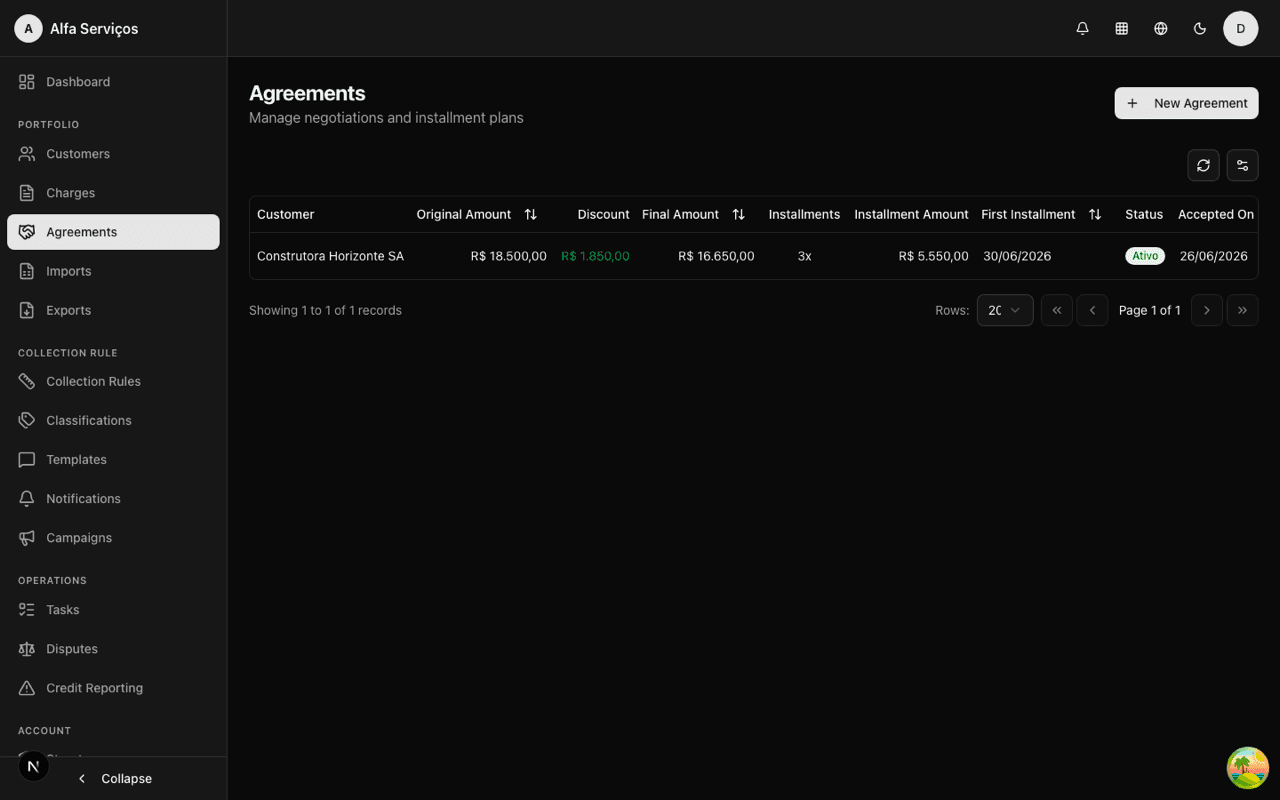
From offer to completed agreement, with rules validated server-side
Define the offer
Maximum discount, number of installments and conditions. The offer can be presented by the workflow or by an operator.
The debtor simulates
In the portal, the simulator shows discount and installment combinations always within the active offer.
Acceptance recorded
Acceptance records IP, date and terms. A proposal tampered with in the browser is rejected server-side.
Track the installments
Every installment has its own due date and status. The agreement moves from proposed to completed.
Negotiation with method, from the first discount to the last installment
- Controlled percentage discount
- Installments with a cap
- Due date extension
- Offer bundled with the collection message
- Direct link to the portal simulator
- Conversion logged in the step's telemetry
- Server-side validation, not client-side
- Log of tampered attempts
- No silent exceptions to the creditor's policy
- Versioned terms at acceptance
- Immutable audit record
- Acceptance via the portal or by an operator
- Charge moves to "in negotiation"
- A completed agreement closes the charge
- A broken agreement reverts to the charge
- View of paid and pending installments
- Due date per installment
- Ready for a post-break workflow
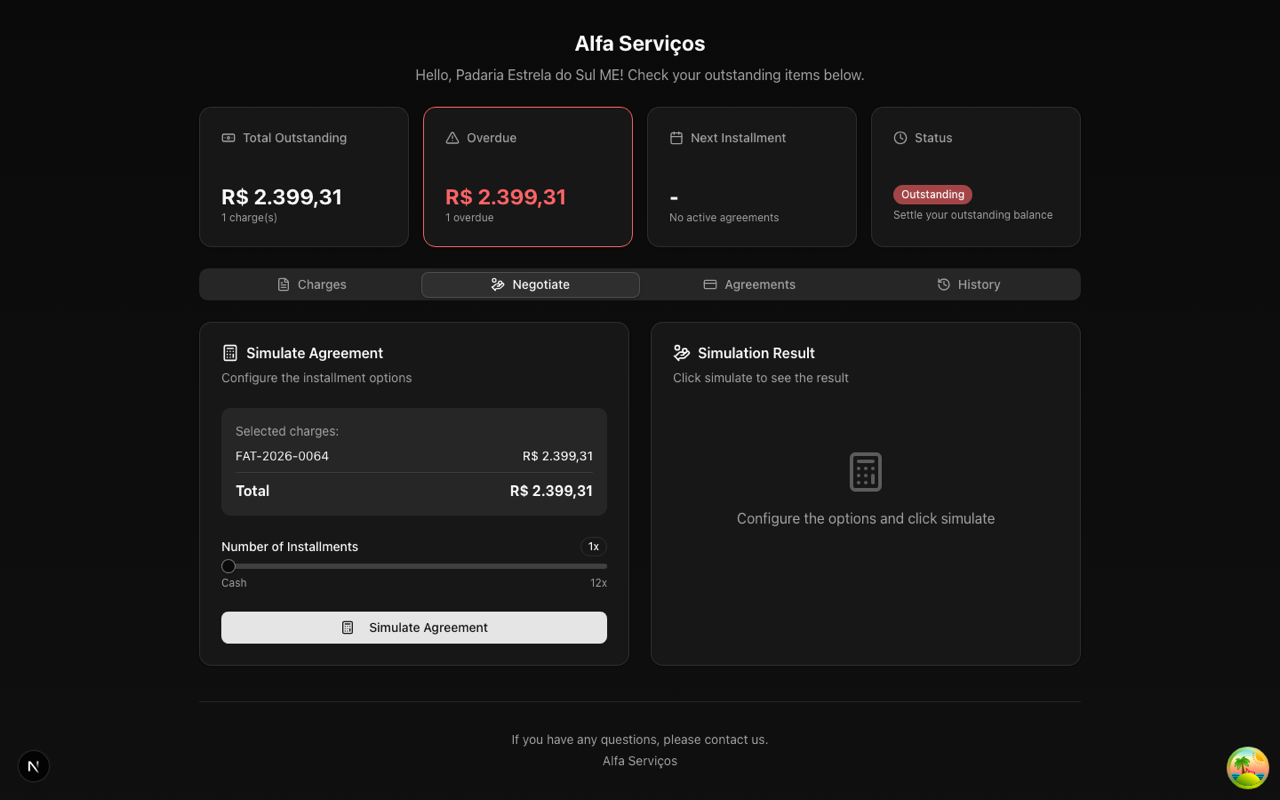
The portal simulator only accepts combinations within the active offer — and acceptance records IP and terms.
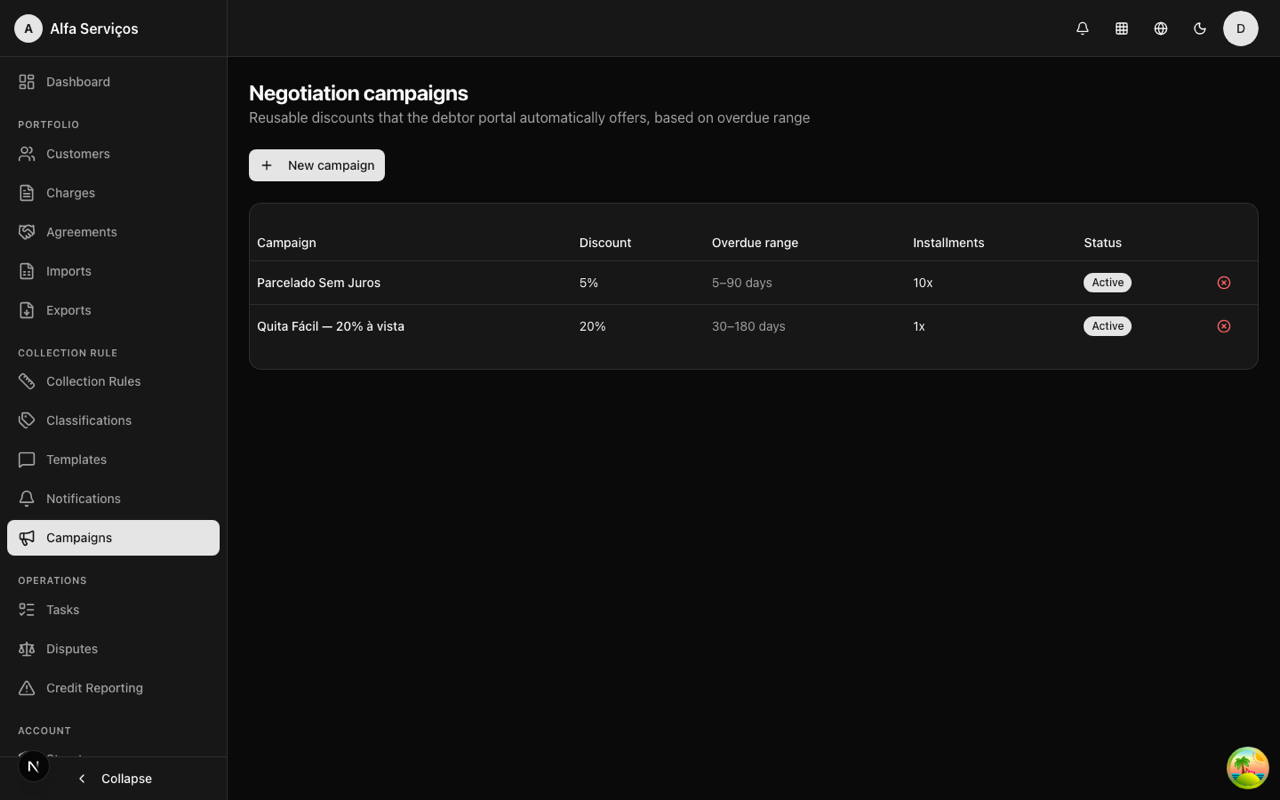
Negotiation offers segmented by overdue range, applied across the whole portfolio.
Real use cases
Automatic agreement on D+7
On the seventh day overdue, the workflow sends an offer of 10% cash discount or 3 installments. The debtor simulates in the portal and accepts — the agreement is created with its installments.
Negotiation by an operator
On a call, the operator logs the negotiation and creates the agreement from the dashboard, with the same policy guardrails as the portal.
Controlled discount
Policy allows up to 15% discount. No simulation — not even browser manipulation — can go past that: the server rejects it and logs it.
Frequently asked questions
Recover more by negotiating with method
See the simulator, the acceptance flow and the agreement lifecycle working end to end.