
A contested debt doesn't get collected — it gets handled
"I already paid," "not mine," "wrong amount" and 4 more dispute types. Opening one pauses the workflow instantly; resolving requires a documented decision. Dismissed disputes resume exactly where they stopped.
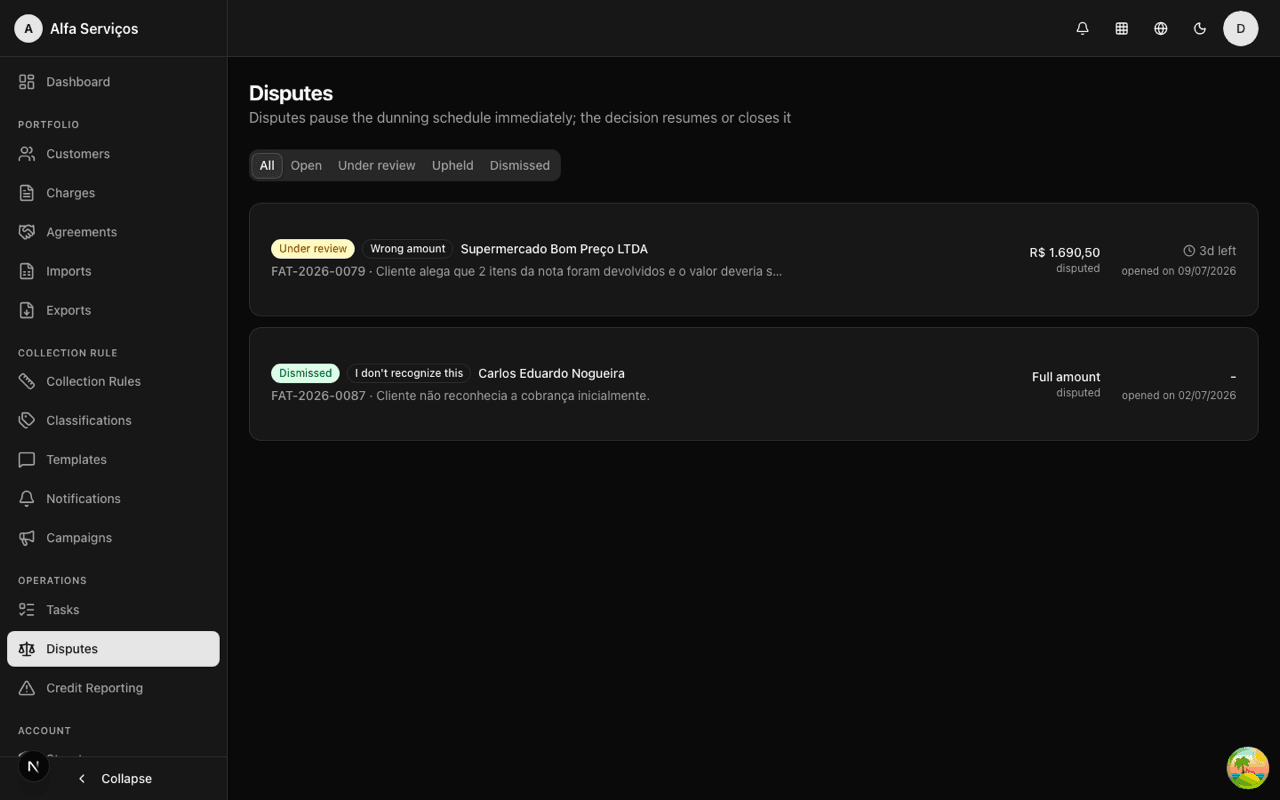
From opening to resolution, with the workflow paused in between
Dispute opened
By an operator or from debtor contact, with type, contested amount (full or partial), documents and an owner.
Workflow pauses instantly
Opening creates a suppression on the debt and stops any send, including messages already queued.
Queue with SLA
The disputes screen shows the queue with a countdown deadline; overdue ones turn red.
Resolution with effect
Dismissed resumes the workflow where it stopped. Upheld adjusts the amount, cancels or writes off the charge.
Disputes handled with process, deadlines and proof
- Contested amount, full or partial
- Documents attached to the dispute
- Owner assigned
- Suppression overrides any step condition
- Logged in the customer's timeline
- Pre-send revalidation guarantees the block
- Resumes if unconfirmed
- Written off if confirmed
- Never counters "still open" with stale data
- Visual queue prioritization
- Blown SLA highlighted on the dashboard
- Owner and status always visible
- Dismissed: workflow resumes where it stopped
- Upheld: adjusts amount, cancels or writes off
- Decision recorded in the immutable audit trail
- Who opened it, who decided, when
- Before/after of every change
- History visible in the charge detail
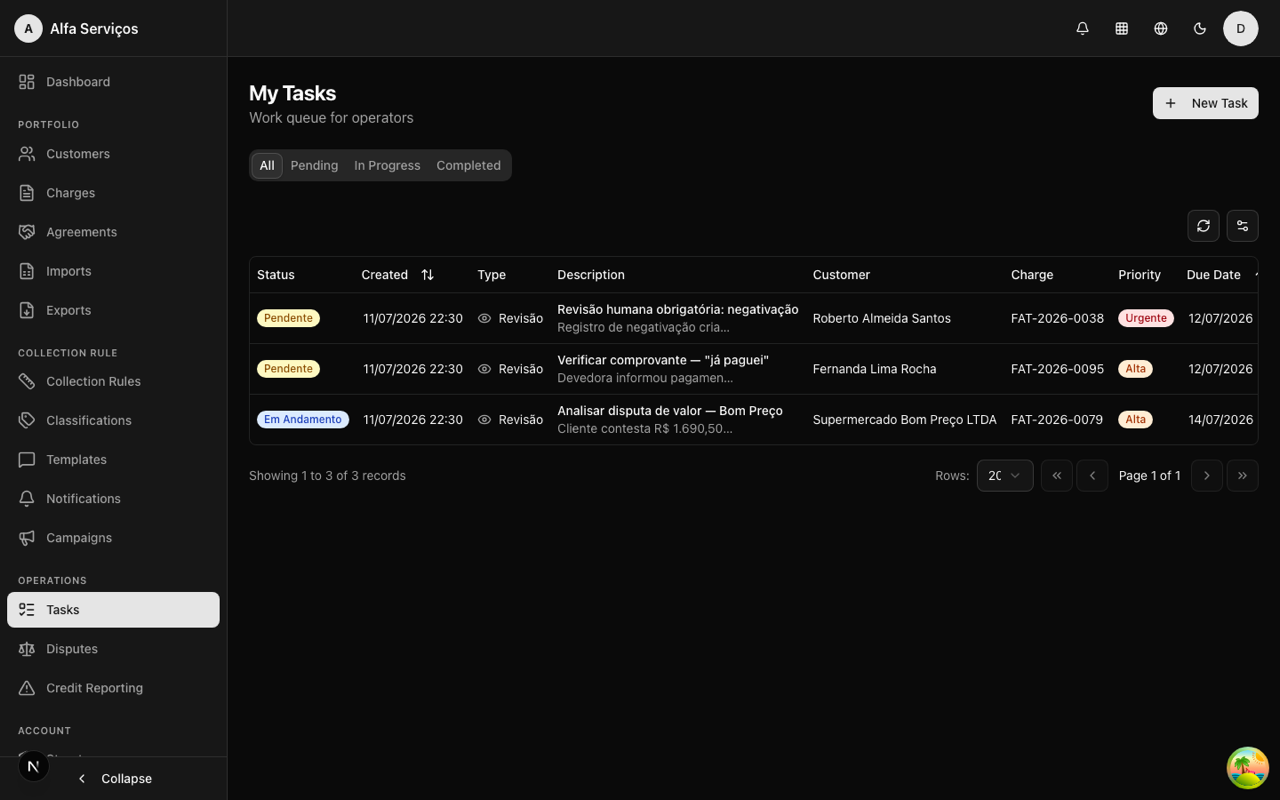
In the "I already paid" flow, a proof verification task is created automatically for the team.
Real use cases
"I already paid" by phone
The debtor calls saying they paid. The operator opens the dispute, the system requests proof and pauses everything. Valid proof: written off. Invalid: the workflow resumes.
Partially contested amount
The customer acknowledges the debt but not the interest. The dispute logs the contested amount; partially upheld, the amount is adjusted and the charge continues for the correct balance.
Incorrect invoice
The invoice went out with an error. The dispute pauses the charge until it's reissued — without putting the customer on the spot for a mistake that was ours.
Frequently asked questions
Handle disputes with process, not improvisation
See the disputes queue, the "I already paid" flow and documented resolution in practice.