
Connect your bank, migrate from Fintera, automate everything
Kobana for payment dispatch and bank sync. Fintera for complete historical import in 10 data types. Scheduled tasks with native cron and Brazilian timezone.
Integrations
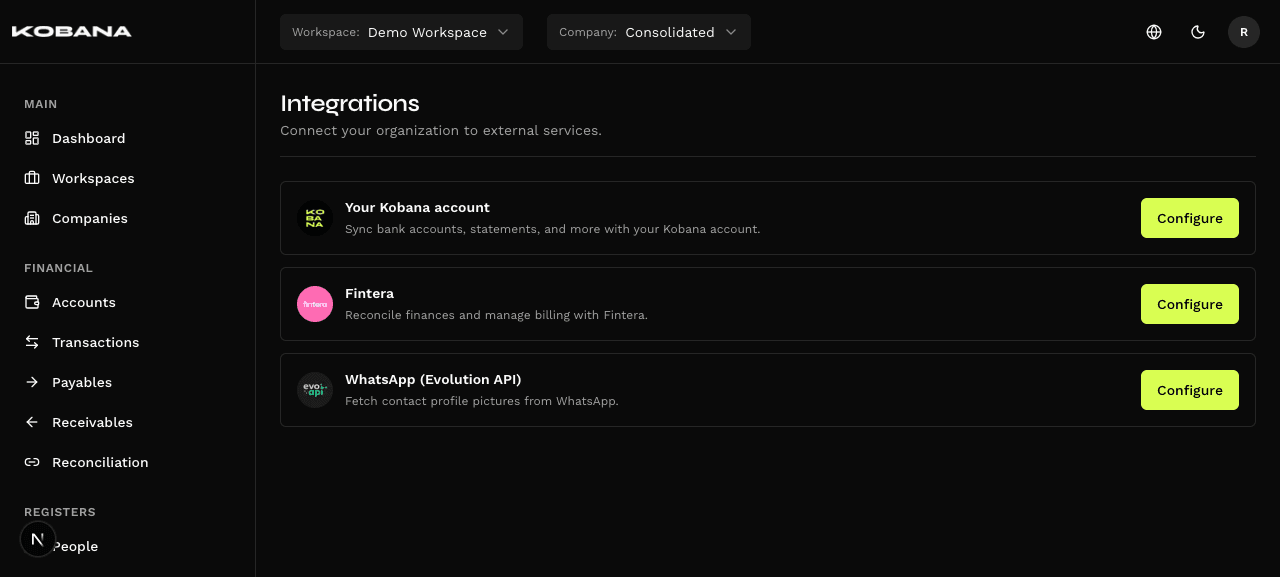
10
data types imported from Fintera
OAuth 2.0
Kobana authentication
Idempotent
re-import without duplicating
5-field cron
customizable scheduling
Your bank connected to the platform
With Kobana integration active, you dispatch payments, import statements and sync accounts without leaving Smart Finance.
Two Ways to Connect
OAuth 2.0 with consent screen (recommended) or direct API token paste in settings. Both activate all integration resources.
Account Sync
Your Kobana accounts automatically appear as financial accounts in the platform. Bidirectional sync by kobana_account_uid.
- New Kobana accounts appear on the platform
- Kobana balance available for verification
- No duplication (upsert by UID)
Statement Import
Import bank statement directly from Kobana. FITID deduplication — re-import without creating duplicate transactions. Reclassify without reprocessing everything.
- Automatic deduplication by FITID
- Re-sync updates existing classification
- Rate limit aware (60 GET / 1000 POST per hour)
Payment Dispatch
Send payables to Kobana for settlement via PIX, boleto or TED. Payment status synced back automatically.
- PIX, boleto, TED and direct debit
- Status updated after confirmation
- Automatic settlement on entry
Migrate from Fintera without losing anything
10 data types imported in the correct dependency order. Fully idempotent — run more than once without creating duplicates.
1
Categories
Chart of accounts imported first. Base for classifying all other records.
2
Cost Centers
Cost centers created before entries that reference them.
3
People
Vendors and customers with validated CPF/CNPJ. Base for entries.
4
Taxes
Withholding taxes imported before payables that apply them.
5
Financial Accounts
Bank accounts and cash accounts created with opening balance.
6
Payables
Outflow entries with installments, recurrences and withholdings.
7
Receivables
Inflow entries with installments, recurrences and settlements.
8
Transactions
Financial account movements with deduplication.
9
Reconciliations
Links between charges and transactions imported as N:M entity.
10
Attachments
Files downloaded from Fintera and re-linked in local library.
Fully Idempotent
Re-run the import as many times as you want. The system uses external_id as deduplication key — upsert without duplicating.
Selective Import
Import all 10 types at once with "Import all" or select specific types for incremental imports.
History by Type
See the history of each import: when it ran, how many records processed, errors found.
Paired Transfers
Fintera transfers are automatically converted into debit+credit pairs with deterministic transfer_id.
Automation that runs at the right time
Configure recurring jobs to import Fintera data, sync Kobana or execute any periodic task. Native cron with Brazilian timezone.
Available Frequencies
Manual, hourly, daily, business days, weekly, monthly or custom cron expression (5 fields: minute, hour, day, month, day of week).
- Shortcuts for common frequencies
- 5-field cron for advanced cases
- Preview of next execution time
Brazilian Timezone
Configure times in Brasília time (America/Sao_Paulo). The system converts internally to UTC and runs at the correct local time.
- America/Sao_Paulo native
- IANA timezone supported
- No manual offset configuration
Safe Execution
Database advisory lock ensures two processes don't execute the same task simultaneously, even in deploys with multiple instances.
- Advisory lock via PostgreSQL
- No double-fire on parallel processes
- Execution status log
Execution History
Each task execution is recorded with next run, last status, result message and timestamp.
- next_run_at calculated automatically
- Status: success, error, running
- Result message for debug
Frequently asked questions
Connect. Import. Automate.
See in practice how the Kobana integration, Fintera import and scheduled tasks work together to eliminate manual work from your finance team.