
Close the month without a balance-difference spreadsheet
Import the OFX statement or sync via Kobana. The system matches transactions with entries by amount and date. You review, confirm and close — in minutes, not hours.
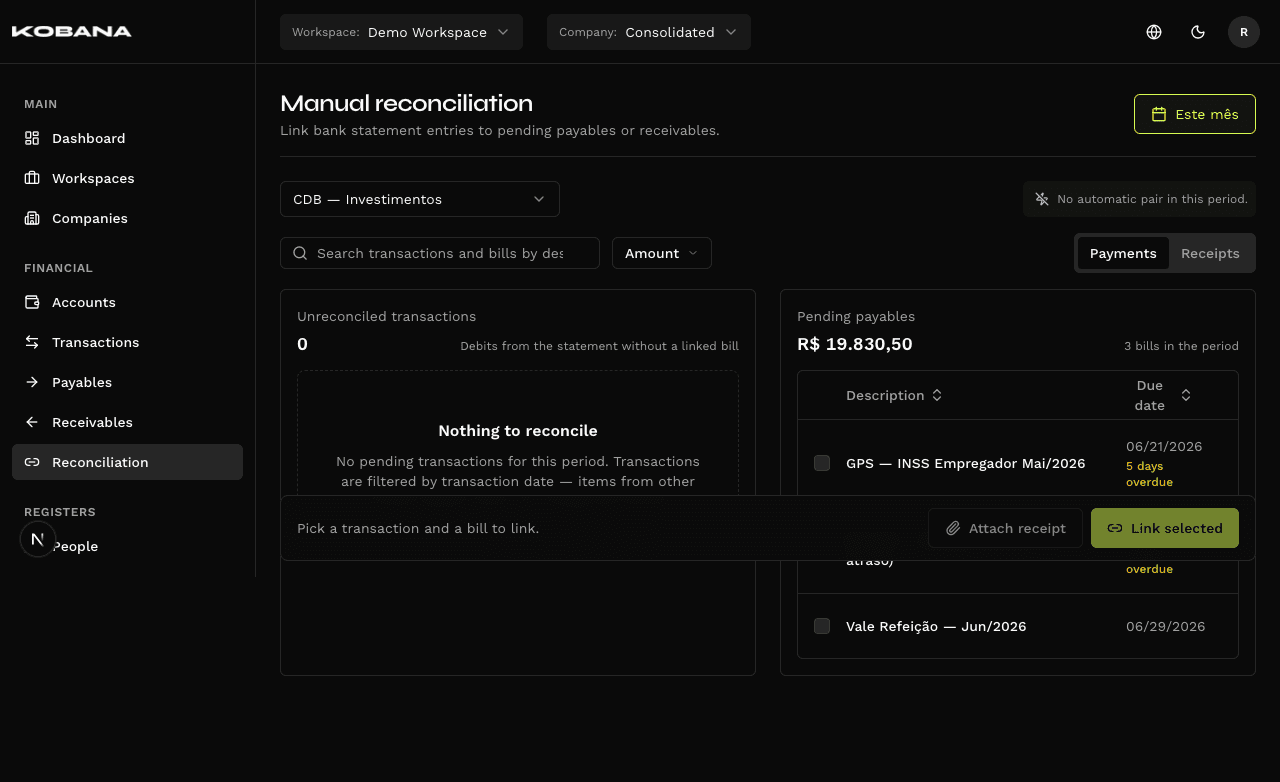
Statement on the platform, whichever way is easier
From statement to close in a few clicks
- Configurable date tolerance
- Match by exact amount
- Suggestions sorted by confidence
- Search by any field
- Multiple linking (1:N)
- History of all links
- One charge → many transactions
- Group balance tracked
- Fintera imports surfaced as N:M
- Statement balance × SQL balance
- List of unreconciled transactions
- Closing status by period
- Undo available at any time
- History preserved
- No impact on original entries
- Real-time calculation via SQL CTE
- No drift from async sync
- Manual adjustment with audit when needed
The difference between knowing and thinking you know
Spreadsheets and systems without reconciliation show balance as a sum of registered entries — not by what actually entered or left the account. Typos, forgotten entries and unrecorded transfers create silent differences that accumulate month after month.
With real bank reconciliation, you close the month knowing the platform balance matches the bank balance. Any difference appears explicitly — and you resolve it before it becomes a problem.
Reliable Monthly Close
Platform balance = bank balance. Prove to management and accounting without exporting to Excel.
Simplified Audit
Every movement is traceable: when it entered the statement, when it was linked, who reconciled.
Forgotten Entry Detection
Bank transaction without corresponding entry? The unreconciled list points out the gap immediately.
Frequently asked questions
Close the month with a matched balance
See in practice how statement import, automatic match and 1:N linking work for your operation.