
Export your data in any format
Boletos, transfers, statements, customers and more. CSV, Excel, JSON, OFX or QIF. Background processing and advanced filters so you can export exactly what you need.
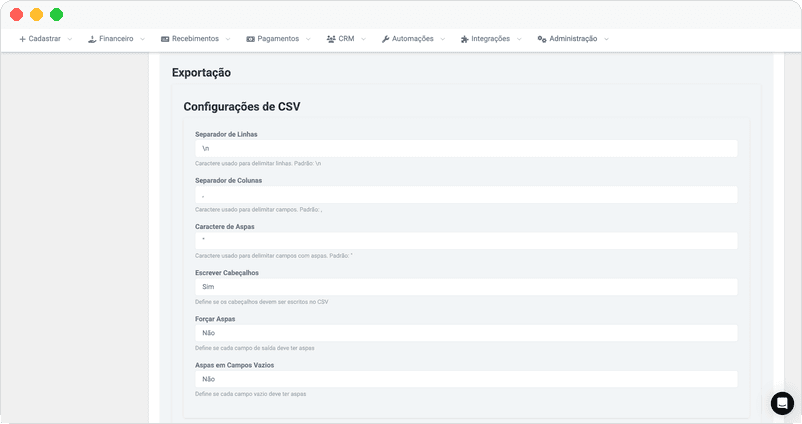
6 formats for every need
What you can export
Export boletos, received payments, payment books, and payment links. Over 80 fields available including customer data and registration status.
- Complete history
- Customer data
- Detailed status
Export TED transfers, PIX, and inter-account transfers. Includes beneficiary data, PIX keys, receipts, and processing status.
- Bank details
- Receipts
- PIX keys
Export financial account transactions in OFX or QIF. Import directly into your accounting software or ERP.
- OFX/QIF format
- Bank reconciliation
- Accounting integration
Export your customer base with registration data, addresses, and active subscriptions. Ideal for CRM and analytics.
- Registration data
- Addresses
- Subscriptions
Automatic sync via Mailbox
Configure Mailbox to receive exports automatically in your system. Files are sent to your mailbox as soon as they are ready, without needing to access the dashboard.
Choose the most suitable channel for your operation: sync via S3 for AWS integrations, receive by email, connect via SFTP, or even receive via WhatsApp.
Learn about MailboxBenefits for your operation
Use cases
Export statements in OFX and import directly into your accounting system. Boletos and transfers in Excel for verification.
- Standard OFX
- Accurate data
- Direct import
Use JSON to feed your ERP with charge and payment data. Same API structure for consistency.
- JSON format
- API structure
- Automation
Export in CSV or Excel to analyze in Power BI, Tableau, or spreadsheets. Advanced filters to segment data.
- CSV/Excel
- Advanced filters
- Business Intelligence
Keep a history of all transactions. Export activity logs and webhooks to meet audit requests.
- Complete logs
- Traceability
- History
Frequently asked questions
Organized data, ready to use
Export boletos, transfers, statements and more in CSV, Excel, JSON, OFX or QIF.