
The workflow that explains every message it sends — and every one it doesn't
Multichannel steps triggered before and after the due date. Versioned workflows that never change mid-flight, and full telemetry for every step, from eligible to converted.
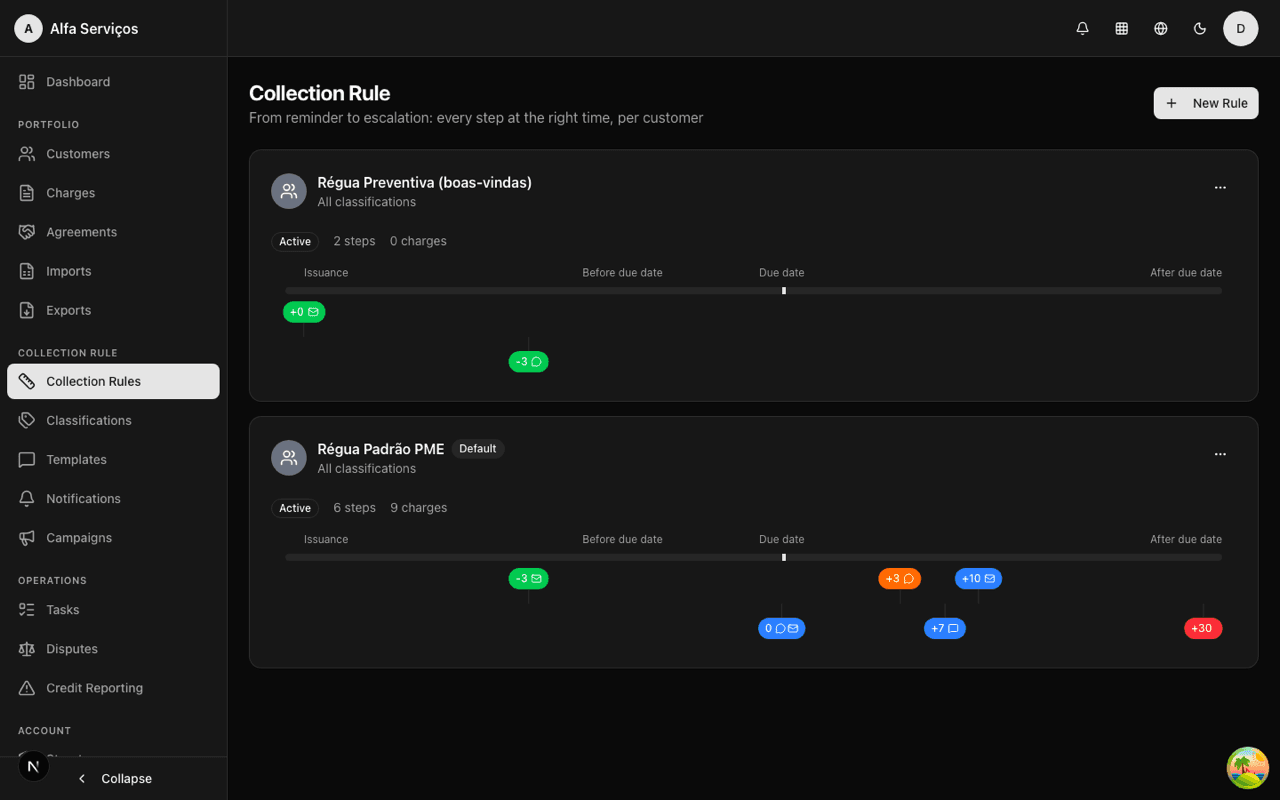
From trigger to conversion, no black box
Build the steps
Set the trigger for each step: days before the due date, on the day, days after, after issuance or after payment.
Choose channel and action
Email, SMS or WhatsApp, with a template by category and tone. Beyond notifying, a step can offer an agreement, open a task, or escalate to negativation, protest and legal.
Link the charges
Every charge enters a frozen version of the workflow and follows its steps automatically.
Track the telemetry
Every step logs state, channel, evaluated conditions and timestamps. You always know why something was — or wasn't — sent.
Workflows you understand, audit and trust
- Preventive reminder before the due date
- Progressive escalation after the due date
- Confirmation message after payment
- Changes apply only to new entries
- Version history preserved
- Enrollment states: active, paused, completed, closed
- Intended channel × channel used
- Evaluated conditions logged
- Humanized reason for every non-send
- Categories: reminder, overdue, negotiation, notices, confirmation
- Tones: friendly, neutral, firm, urgent
- One-click template duplication
- Agreement offer straight from the workflow
- Manual task with priority and due date
- Negativation and protest always pending human review
- Partial payment cancels messages with a stale amount
- Refund reopens the charge and re-enrolls it in the current version
- "I already paid" pauses and opens verification
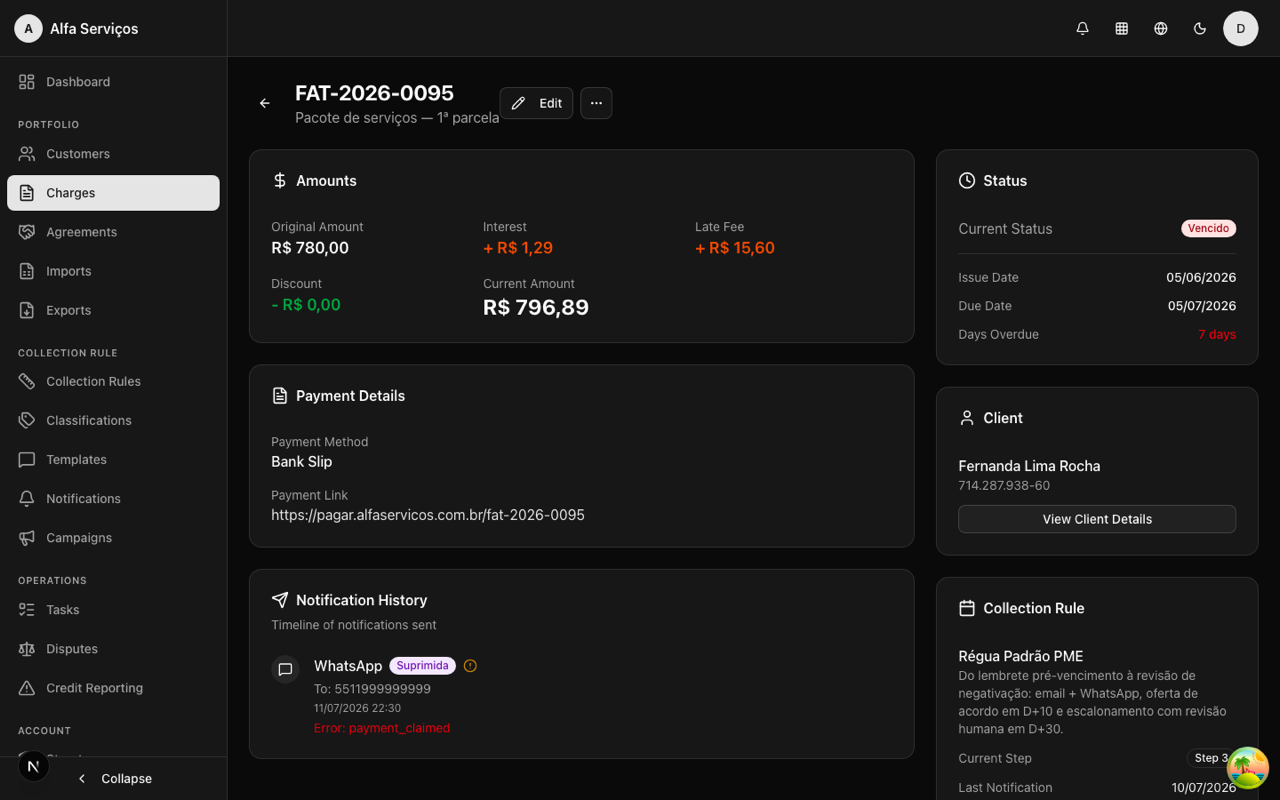
Per-step telemetry in the charge detail: state of every step and reason for every non-send.
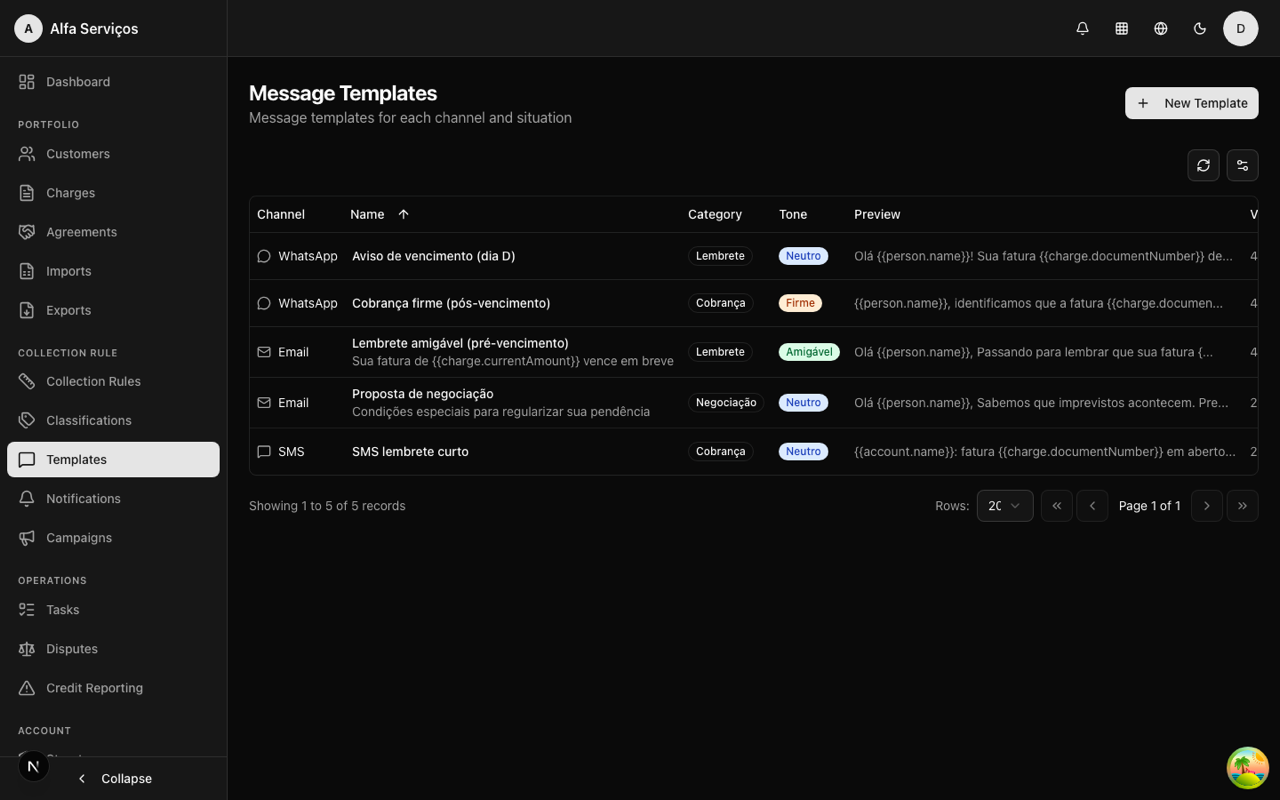
Message templates by channel, category and tone — with interpolated variables.
Real use cases
Preventive workflow for recurring bills
D-5: friendly email with the bill attached. D-1: SMS reminder. On the day: neutral email with a payment link.
Post-due-date escalation
D+3: firm email. D+7: SMS + agreement offer with discount. D+15: call task for the operator. D+30: negativation notice (pending human review).
Post-payment
D+1 after payment: confirmation and thank-you message — the customer knows the matter is closed.
Frequently asked questions
Build your first workflow in minutes
See in practice how the workflow follows a charge from due date to payment — with telemetry for every step.