
Your customer portal, powered by the data already in your systems
Connect your ERP, API or database, build pages by dragging blocks or asking the AI, and publish with your brand on your own domain. Each customer signs in and sees only what belongs to them.
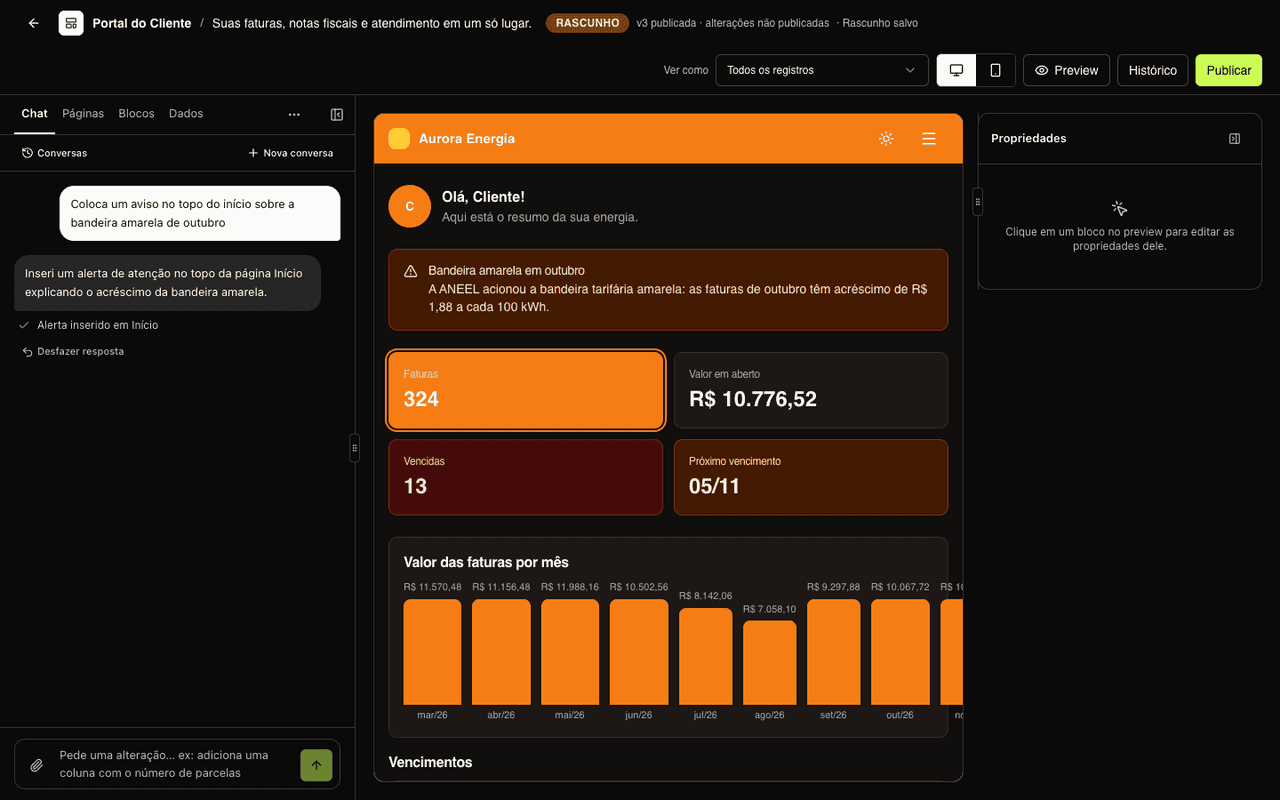
Your customers want to see the invoice, the contract, the payment slip. Without calling anyone.
Magic Dashboard builds your company's customer area without a development project: you connect the systems where the data lives, choose what to show and publish. We take care of the infrastructure, sign-in and security.
- Preview with real data and “View as” any customer
- Draft saved automatically, publishing with release notes
- Version history and one-click rollback
- Undo the AI's last answer
- Exact text match or CPF/CNPJ match (digits only)
- No tenant ID, no records shown
- The portal reads a synced copy, not your system
- An outage at the source doesn't take the portal down
- Custom domain with automatic certificate
- Password, magic link, SSO or Sign in with Google
- Sign-in screens in Portuguese, English or Spanish
- The support chat and analytics you already use
From data to portal in four steps
The same path for an energy bill, a rental contract or a school tuition fee.
1. Connect your data
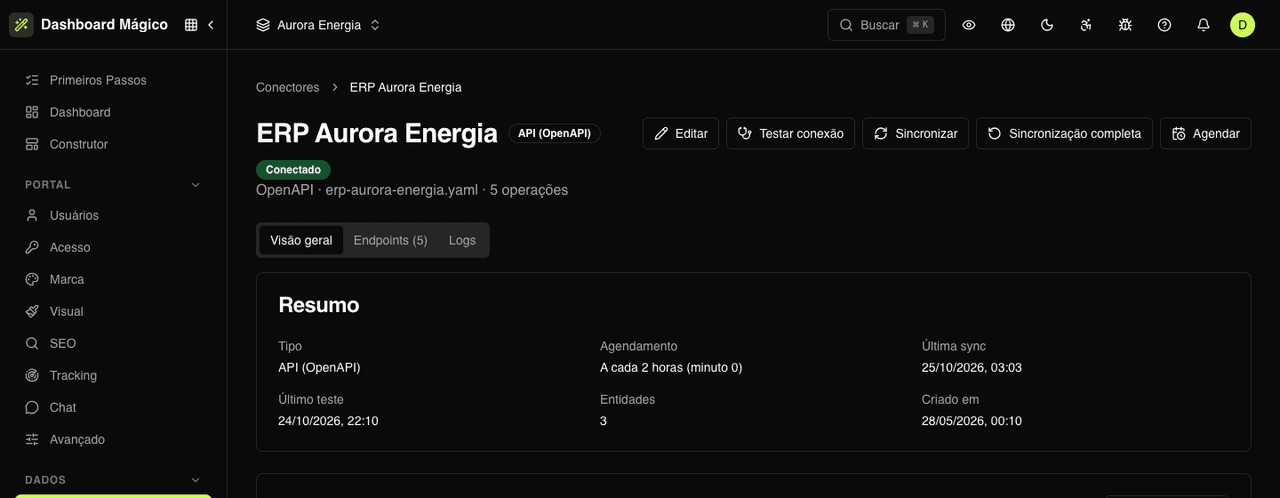
Connect your ERP's API (with its OpenAPI file), an MCP server or your database directly — PostgreSQL, MySQL, MariaDB, SQL Server or MongoDB. Using a Kobana product? The connection is ready in the catalog. Credentials are encrypted and never shown again.
2. Choose what the portal shows
Turn endpoints, tables or SQL queries into entities: invoices, contracts, payment slips, tuition fees. The platform reads a sample, suggests the fields and you mark which one identifies the owner of each record.
3. Build the pages — or ask the AI
In the Builder, drag tables, KPIs, charts, calendars and forms, with the workspace's real data in the preview. Or describe what you want in the chat: “create an invoices page with tabs for due, paid and all”.
4. Publish and invite your customers
Publish in one click, on your own domain. Invite users, import a spreadsheet or let your system create access through SSO. Each person signs in and finds only their own records.
All features
From data to governance, everything you need to put a portal live and keep it running.
Data
Bring data from where it already lives, with no migration. The platform syncs and keeps a copy so the portal stays fast.
- API (OpenAPI/Swagger), MCP and database connectors
- Kobana catalog: Smart Finance, Automatic Billing, Dunning and Banking Gateway
- Authentication by API key, Bearer, Basic, OAuth (MCP) or mTLS certificate
- Entities from endpoints, MCP tools, tables or SQL queries
- Fields with type and role: amount, due date, status, document, link
- Scheduled, manual or on-access sync (from 5 minutes to 24 hours)
- Logs of every call to the source, with masked credentials
- File library with public, restricted or private access
Builder
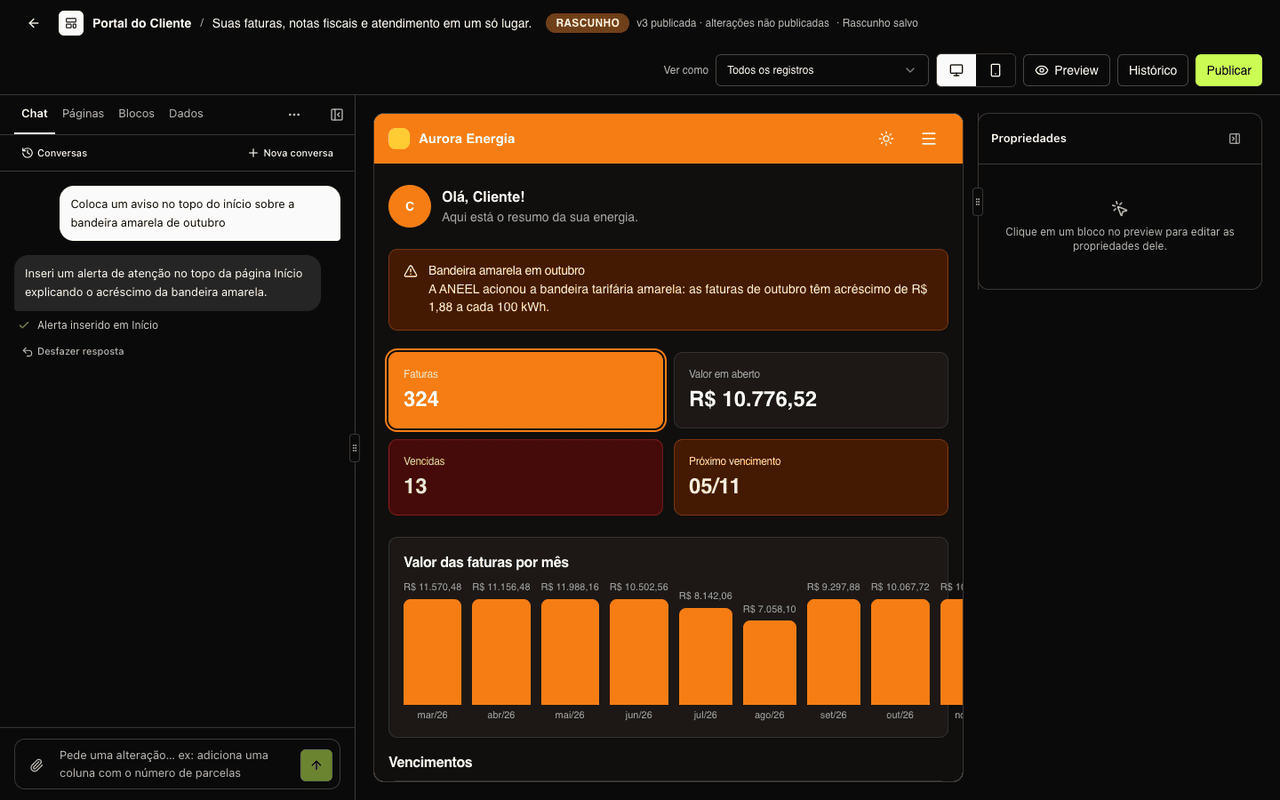
Portal pages are stacks of blocks. You see the result instantly and publish only when you're ready.
- Data: table, KPIs, chart, cards, detail, documents, progress, calendar and timeline
- Actions: forms with CPF, CNPJ, phone and currency validation; buttons with link or webhook
- Layout: columns, tabs that filter the page, breadcrumbs, header and footer
- Content: notice, FAQ, carousel, image, list, customer greeting
- Clickable KPIs that filter the other blocks on the page
- Detail pages: each table row opens its record
- AI chat that creates pages, registers entities and proposes changes
- Desktop and mobile preview, version history and rollback
Portal and access
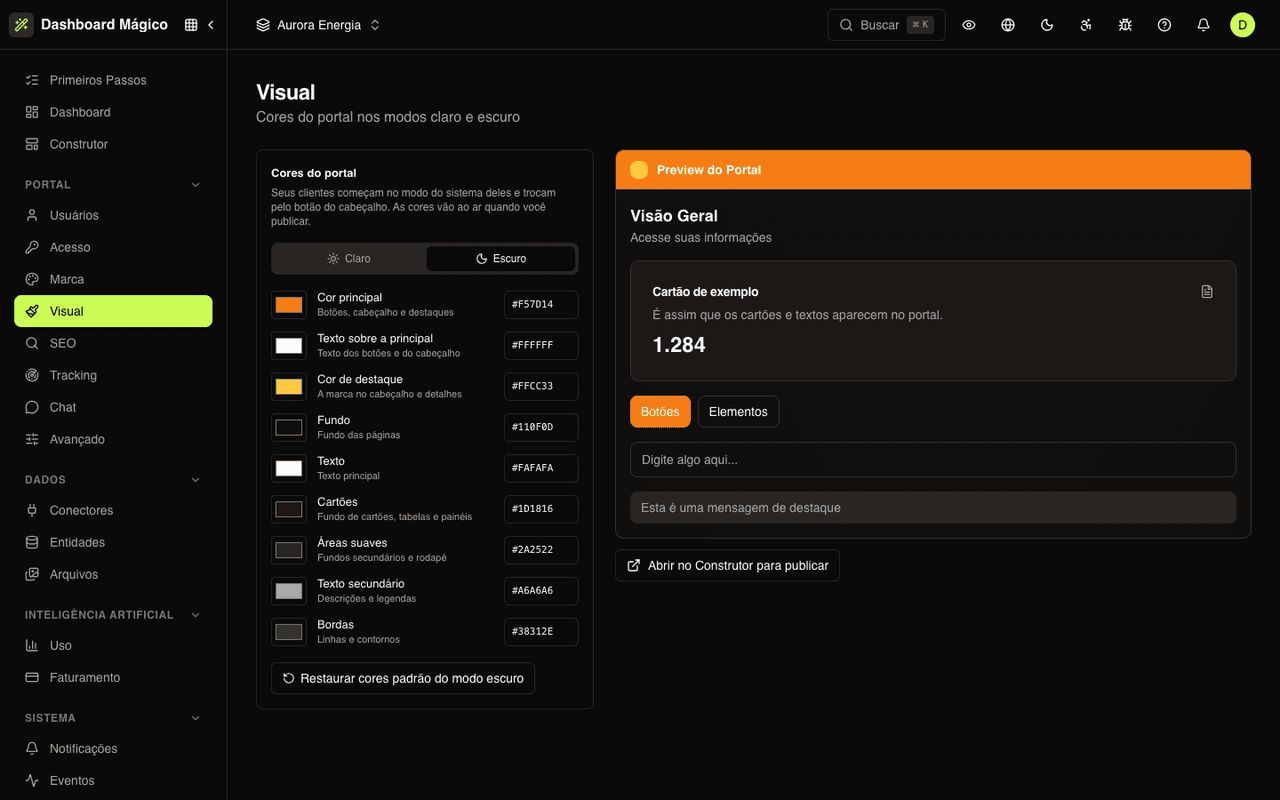
Decide where the portal lives, how customers sign in and how it shows up to search engines and analytics tools.
- Free address or custom domain with automatic HTTPS
- Email and password or magic link sign-in, with lockout after failed attempts
- JWT SSO: users already signed in to your system get in without a password
- OAuth/OIDC providers, such as Sign in with Google
- Brand, light and dark mode logos, favicon and color palette
- SEO: indexing, robots.txt, sitemap, Google verification and canonical URL
- Google Analytics, Tag Manager, Meta Pixel, Clarity, PostHog, Segment and more
- Support chat: Intercom, HubSpot, Zendesk, Drift, Crisp and JivoChat
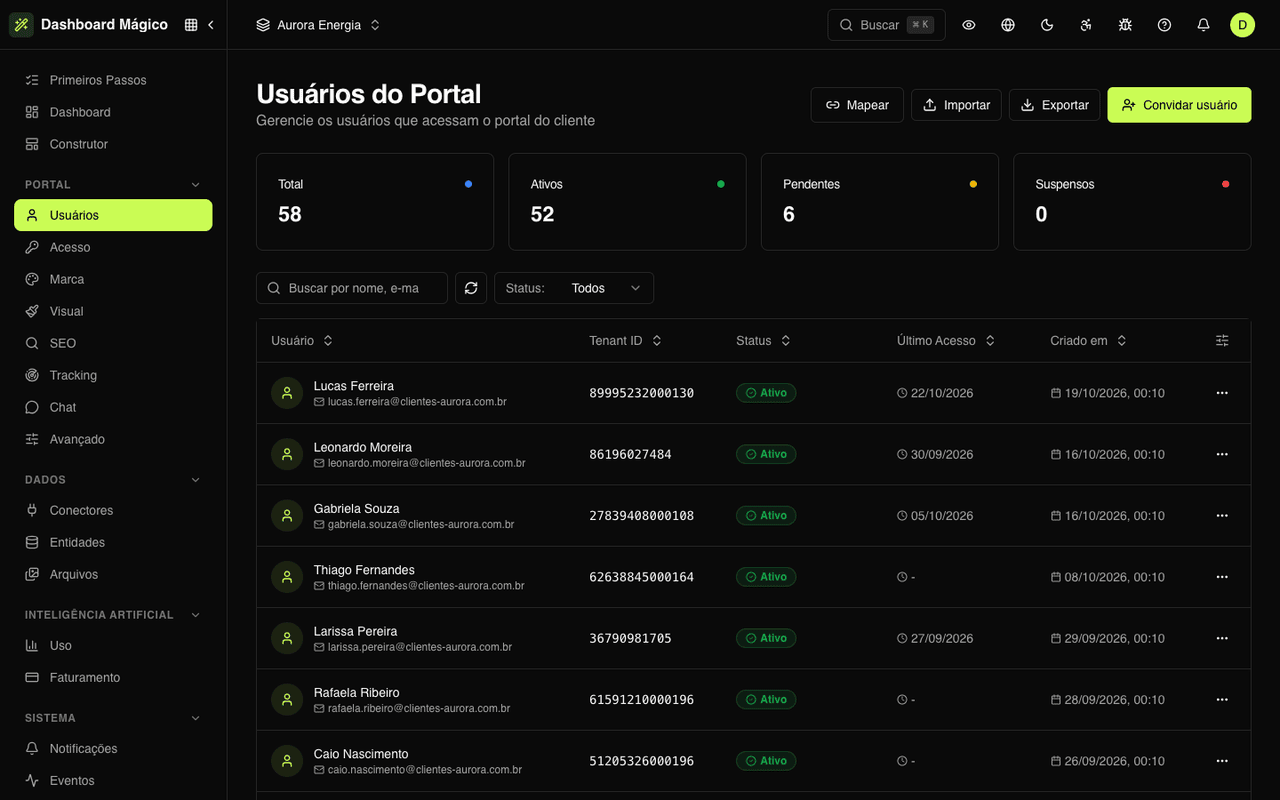
Portal users
Your customers sign in with their own login. You manage access without loose spreadsheets.
- Email invitations, one at a time
- CSV import and export, processed in the background
- Mapping: each record of an entity becomes a user
- Automatic creation on first SSO access
- Status, last access and sign-in attempts for each user
- Impersonate a user for support, without affecting your metrics
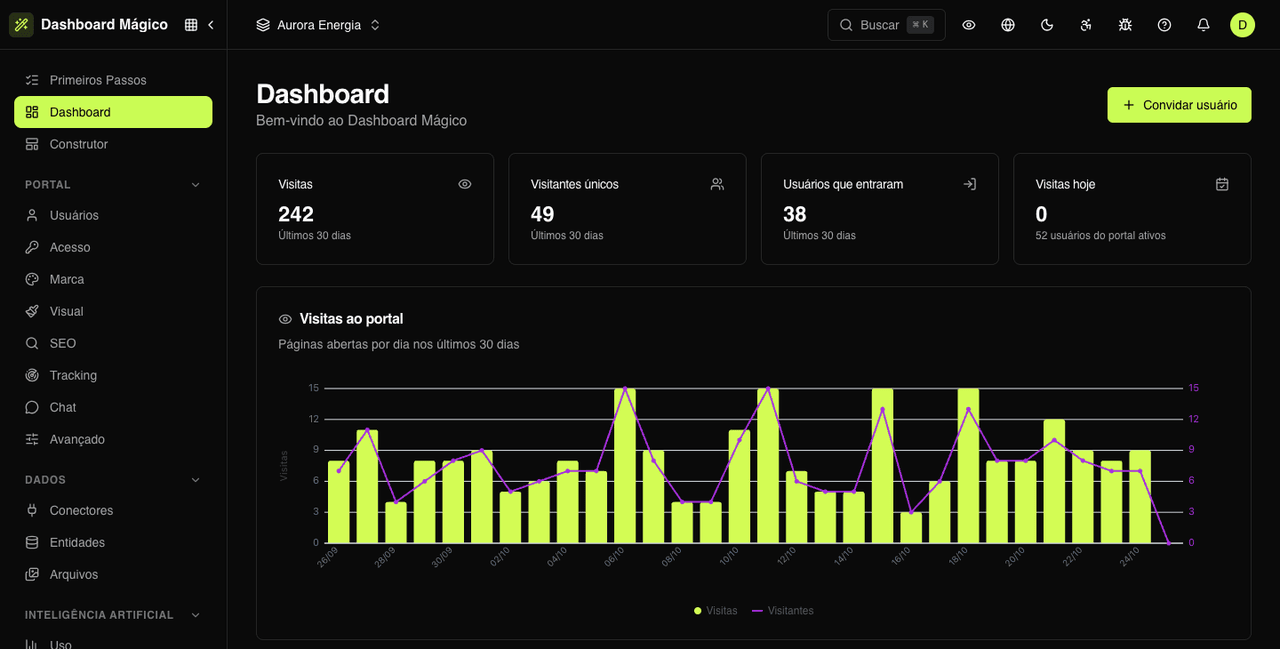
Management and governance
Everything a team needs to run several portals securely and with full traceability.
- Workspaces: one portal per brand, business unit or product
- Members with roles and per-workspace access
- Audit trail of who changed what, when and from where
- Events and webhooks with signatures, retries and delivery history
- Templates and layout for the emails sent to customers
- Portal traffic dashboard and AI usage tracking
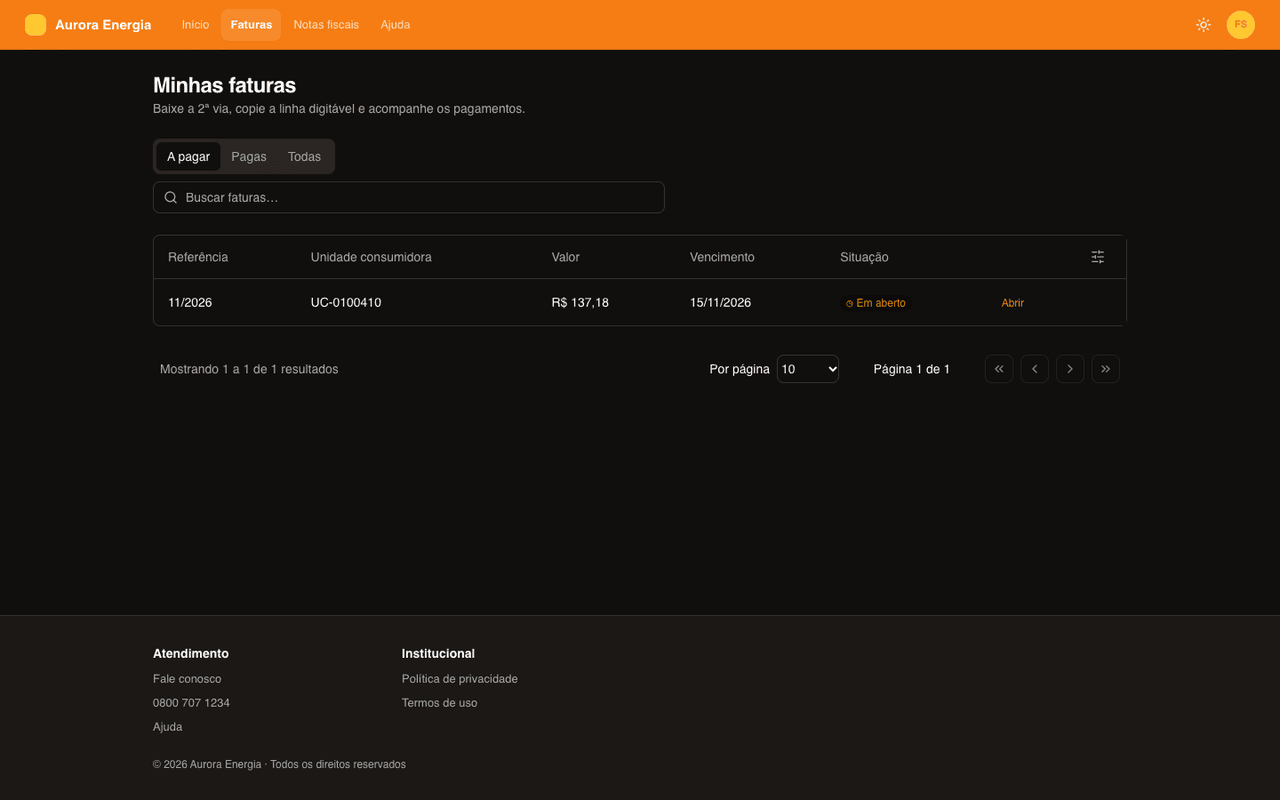
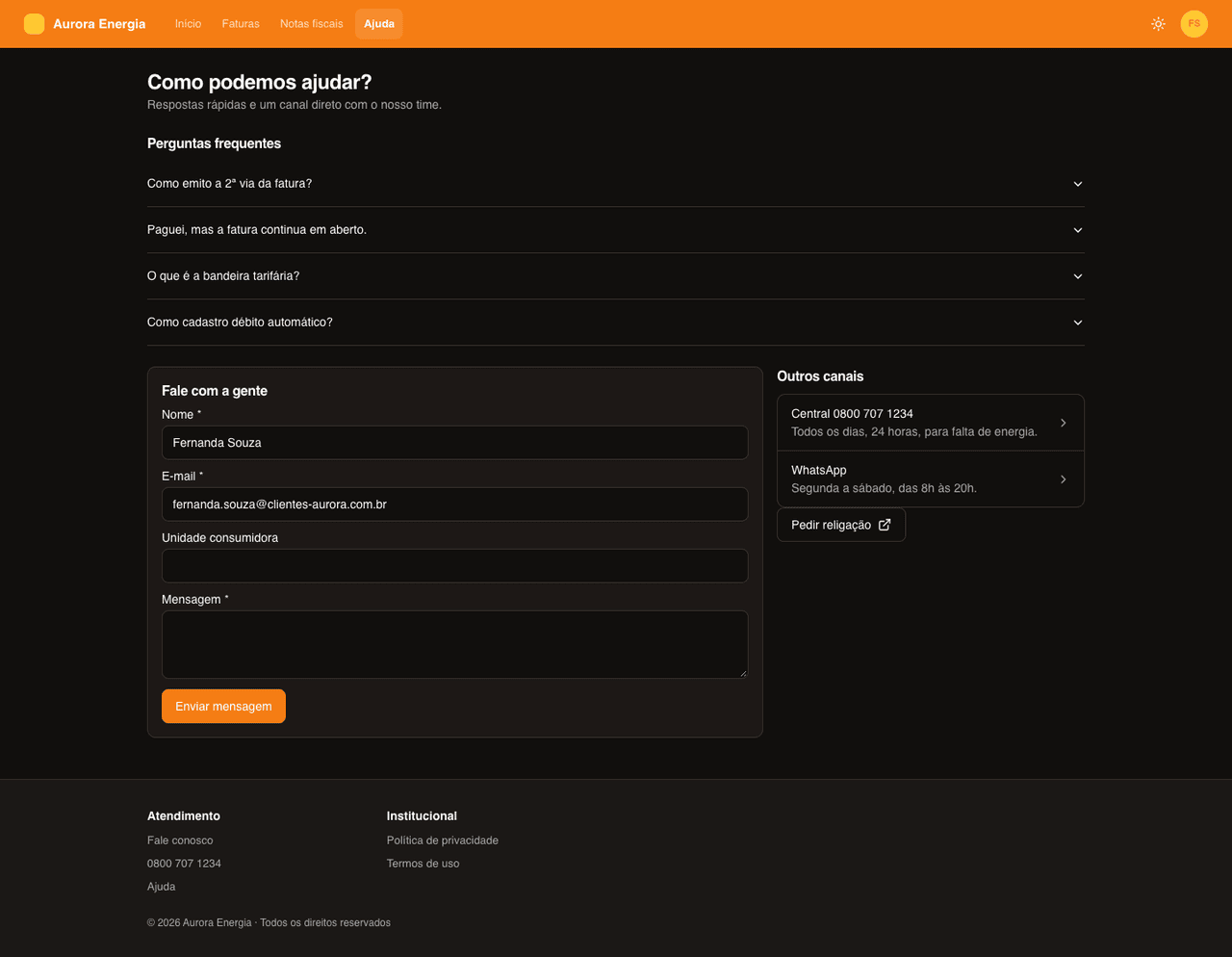
What your customer sees
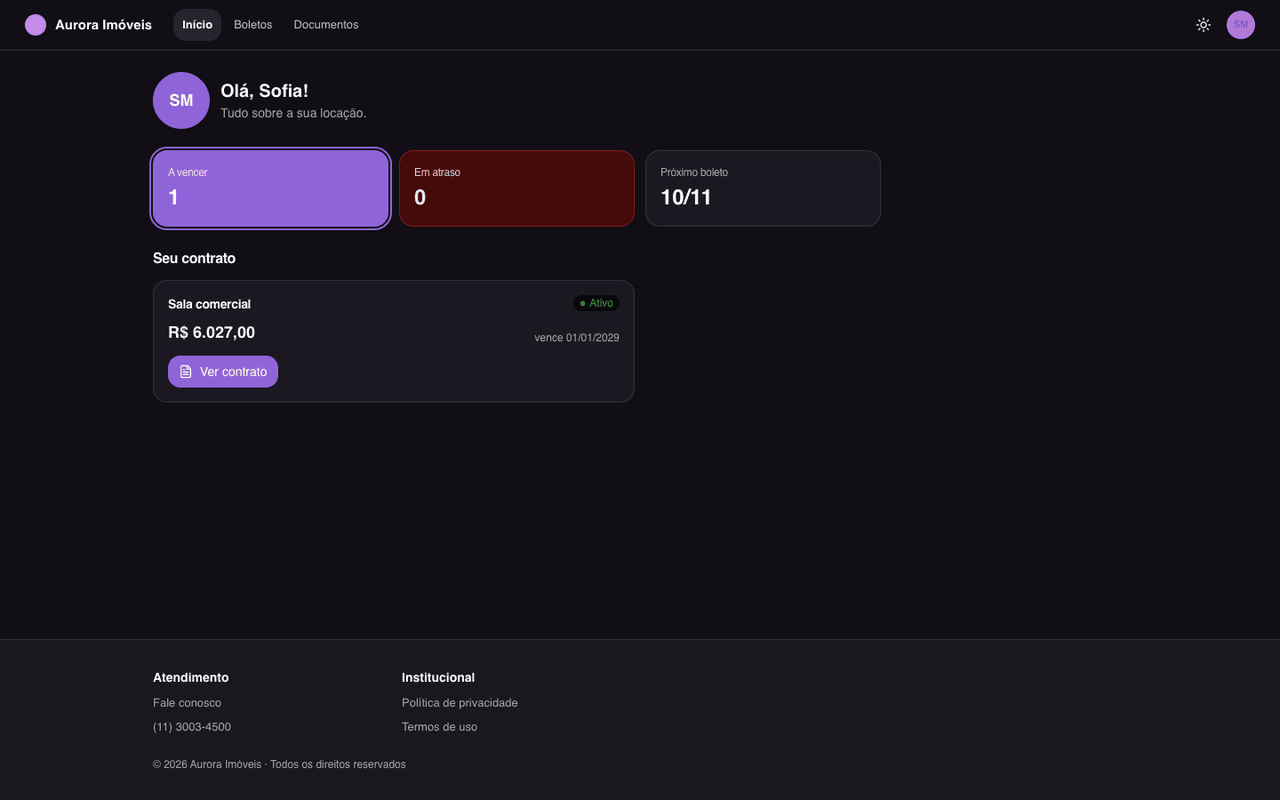
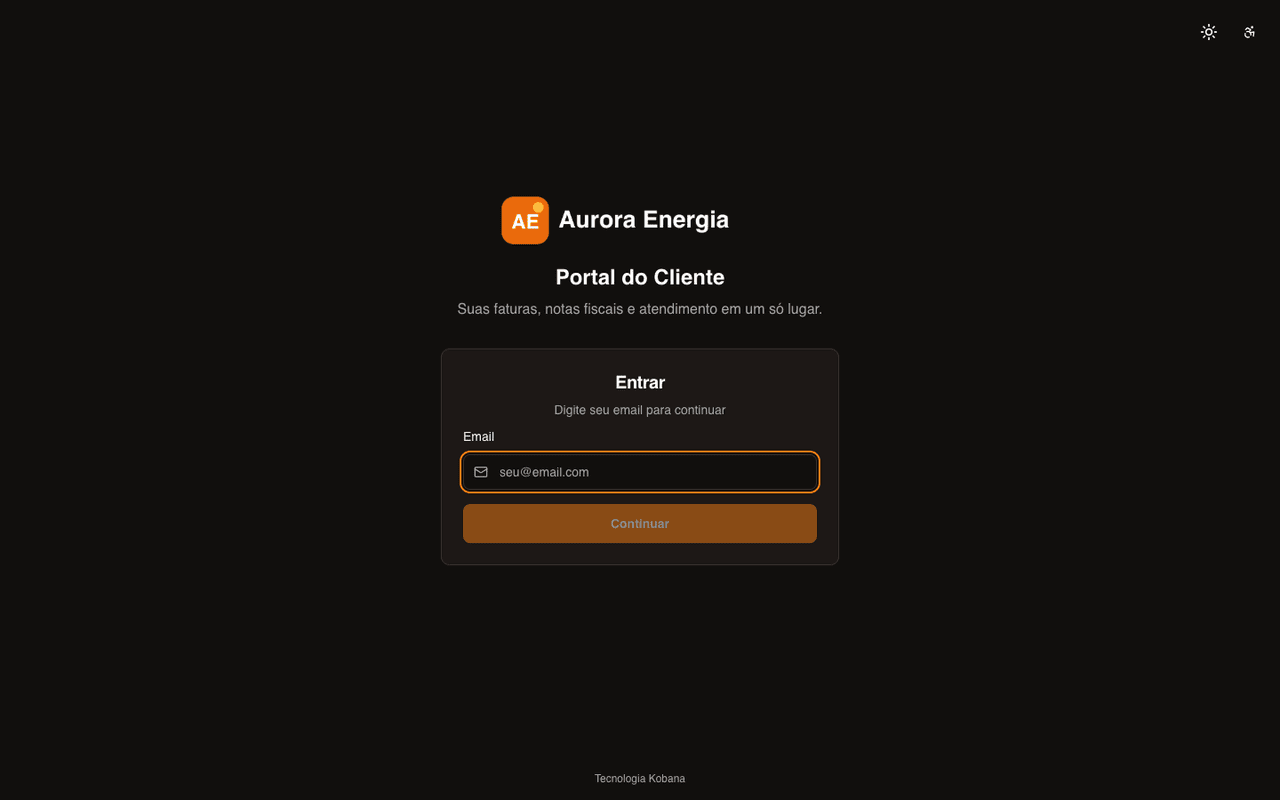
Light and dark mode, mobile menu and only the signed-in user's records. Each workspace has its own portal, with its own brand.
For companies with customers waiting for information
Already on Kobana? Your data reaches the portal in minutes
Kobana products are in the connector catalog with the spec ready. Pick the environment, paste the access token and show charges, payment slips, invoices and receivables to each customer.
For your technical team: API, webhooks and MCP
Everything the dashboard does is also available through the API. And the MCP server lets an AI agent operate your portals with the same permissions as the person who authorized it.
Documentation
Full guide: connectors, entities, Builder, access, users and settings.
Read the docsREST API
Portal users, entities, connectors, pages and webhooks via API, with OpenAPI and a Postman collection.
See the API referenceMCP server
Connect Claude, ChatGPT or your IDE by URL, with OAuth 2.1 sign-in. Tools follow the same permissions as the API.
Connect an AI agentWebhooks
Receive signed events the moment something happens, with retries and delivery history.
Set up webhooks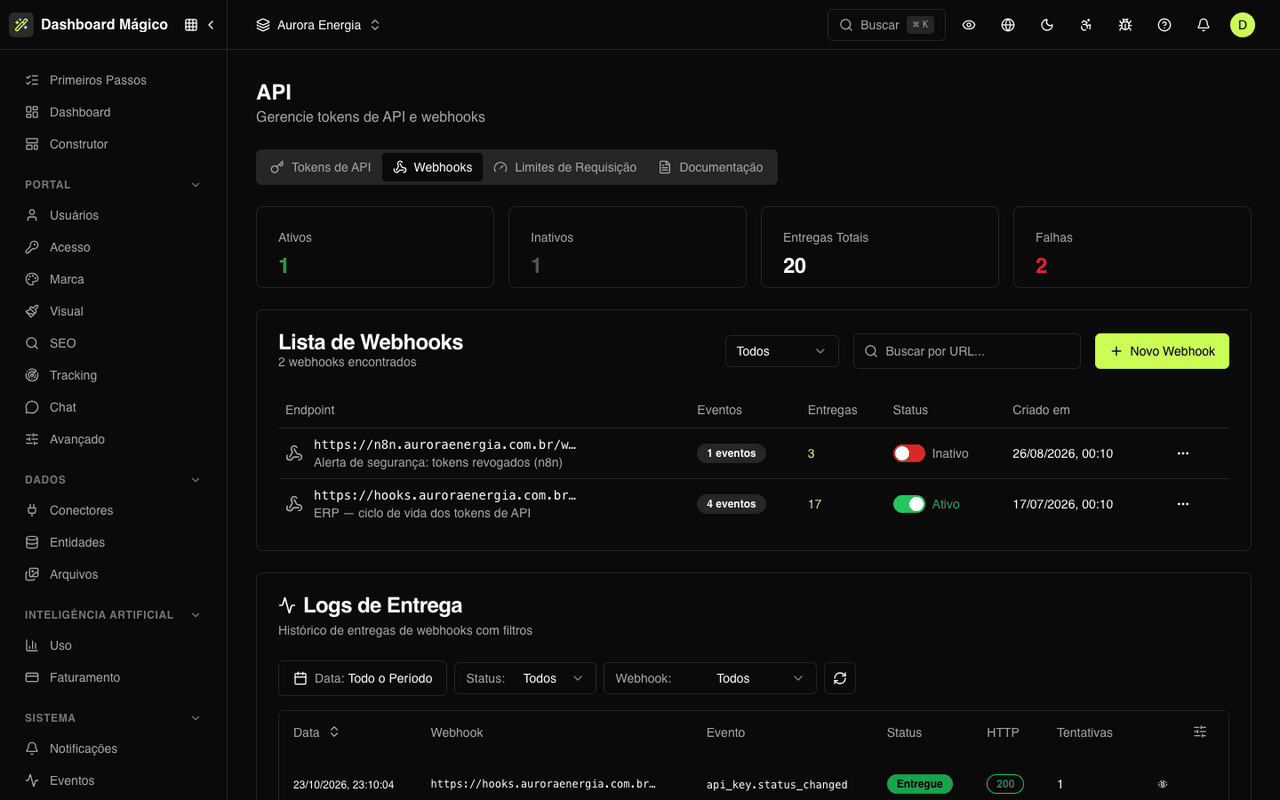
Frequently asked questions
See Magic Dashboard in action
We'll walk you through a complete portal, from connector to published page — and build a new page with the AI during the call.